


CONCLUSION

What I learned
The Next Influencer cart redesign was a focused intervention, not a full product overhaul. The goal was to remove friction for fans who shop fast, on their phones, in the middle of a cultural moment. Every decision traced back to that user: make the total visible, make the controls obvious, make checkout always reachable. The result is a template that's ready for the next show before it even launches.
01 — THE PROBLEM
BEFORE
AFTER

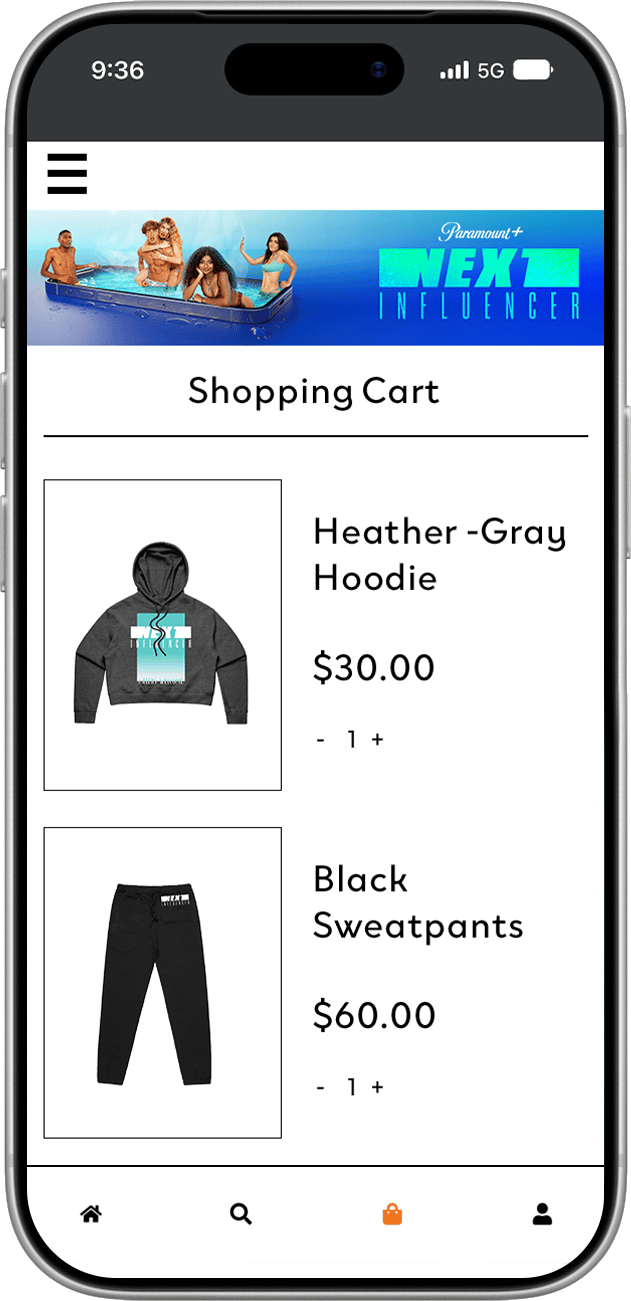
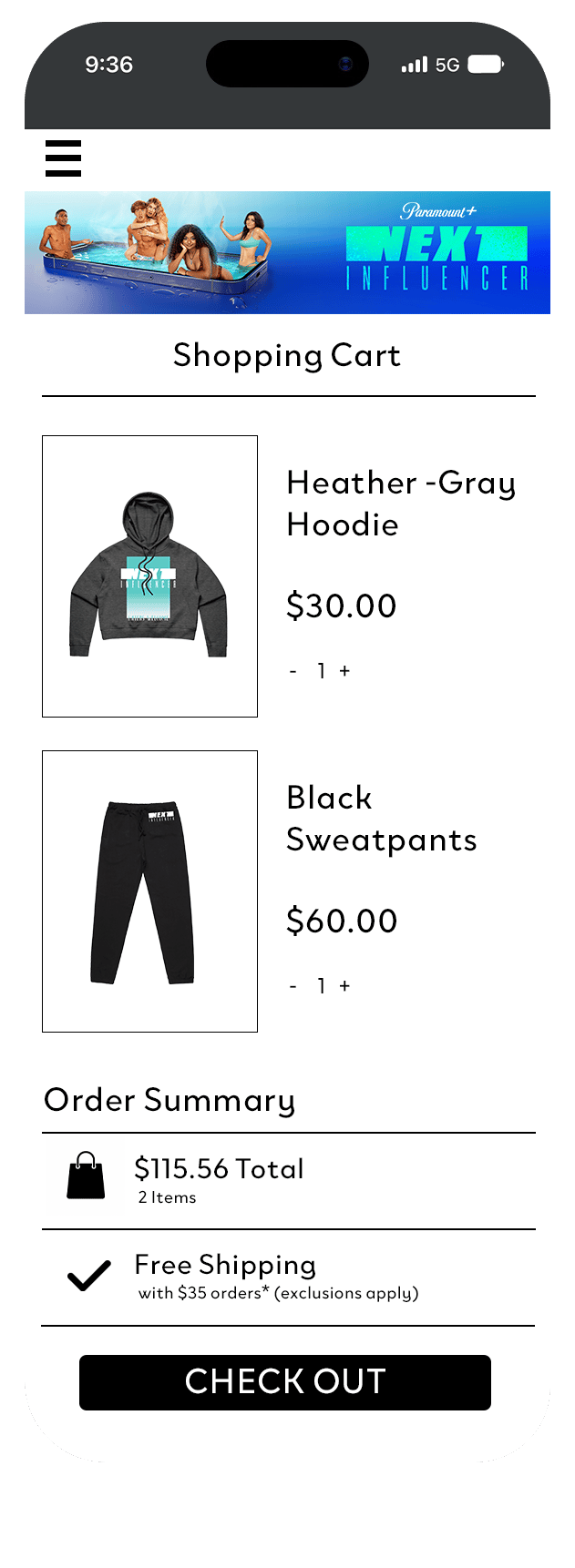
Confusing Cart
Hard to find the checkout button, small buttons, and clunky design get in the way
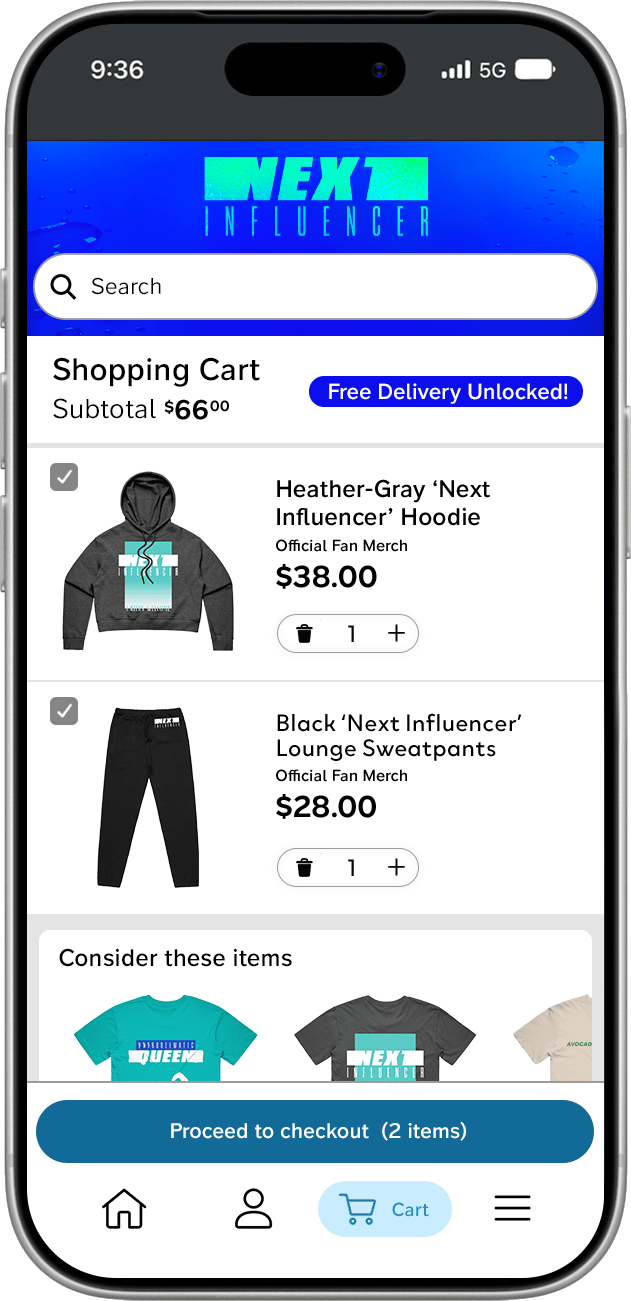
Easy checkout
A clean, focused layout helps users add to their cart and checkout faster

The impact
Stronger item layout design
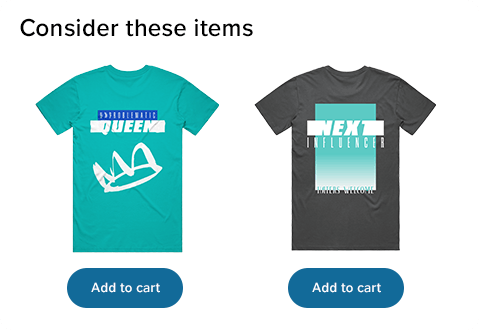
Surfaces relevant merch at the right moment
Easier and
more clickable

Most fans of these shows browse and shop on their phones, often in short bursts — between episodes, after a clip goes viral, during a live watch party. That shaped every decision. I audited the original cart against that mental model and found four friction points:
4 Main Friction Points
- Clunky branding
- Difficult to find key buttons like checkout
- Buttons that were hard to tap
- Missed opportunity to encourage additional purchases
Since this template would be reused across future shows, I also wanted every decision to be easy to re-theme, swapping colors and a logo should be enough to make it feel native to a new show.
Thinking


Header
Replaced the cramped key art banner with a bold color-blocked header using the show's brand palette and a larger logo. Instantly re-themeable per show.
Item Layout
Removed heavy box outlines around each item. Shifted to a cleaner row layout with larger product images — letting the merch speak for itself.
Cross-Sell Section
Added a "Consider these items" row below the cart contents to surface additional merch and fill the visual space below a typical 1–2 item cart.
Search
Moved a full-width search bar directly under the header, signaling to fans that there's more to explore and making it easy to find specific items.
Replaced Quantity Stepper
Redesigned the +/− controls as a pill-shaped stepper. More tappable, more legible, and immediately recognizable as a quantity control.
Nav Icons
Enlarged bottom navigation icons for better tap targets and clearer active states.
Subtotal Visibility
Surfaced the cart total next to the "Shopping Cart" label so shoppers know where they stand before they scroll.
Sticky Checkout
Made the "Proceed to Checkout" button sticky at the bottom so it's always reachable, regardless of cart length.
Decisions
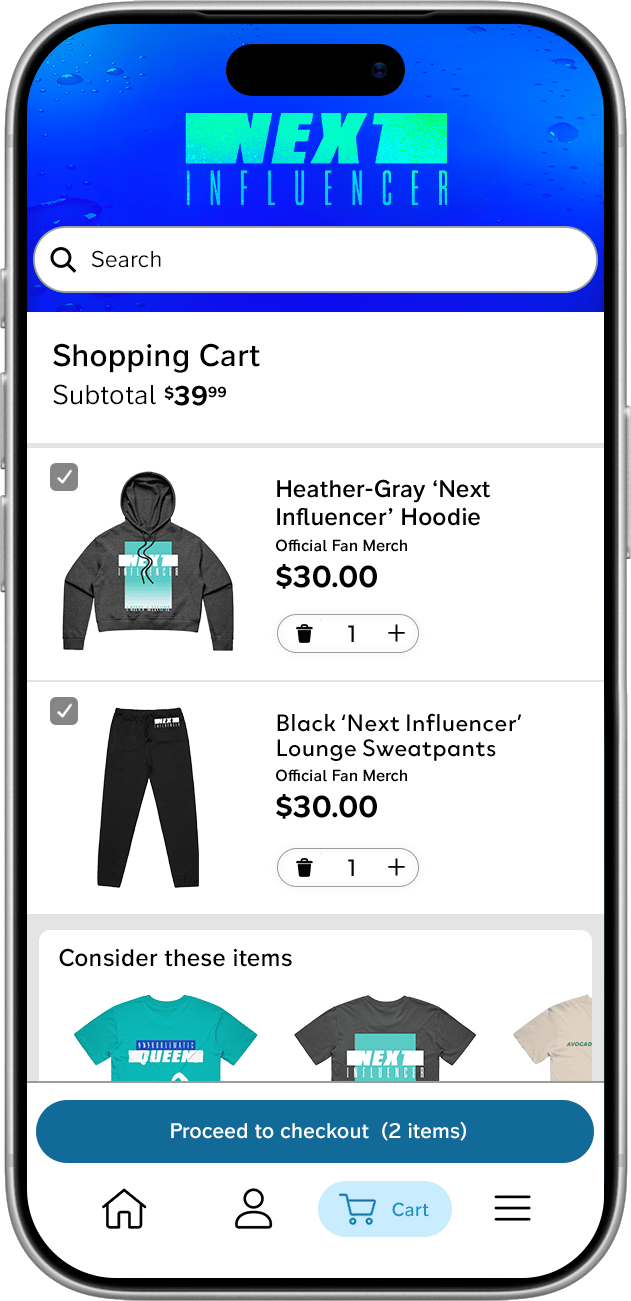
The redesign removed friction at the moments that matter most for impulse-driven fan purchases — seeing your total, adding an item, and getting to checkout fast. Fans shopping between episodes don't have patience for a confusing cart, and the new design respects that.
Impact
Shopper Clarity
Subtotal visible on load, no scrolling required to know what you owe
Checkout Access
Sticky CTA means the path to purchase is always one tap away
Re-Themeable
Can be easily re-skinneded for every upcoming show

AwesomenessTV was launching a slate of reality series on Paramount+, each needing a merch store that could be quickly re-themed per show. The first store went live for Next Influencer, but merch sales weren't meeting the marketing team's expectations. The original design had
some UX gaps, particularly for the mobile-first audience these shows attract. I partnered with the creative director to scope a redesign that would fix the experience and establish a more scalable template for future shows.
BEFORE
AFTER
UX - MOBILE REDESIGN
Next Influencer — Merch Cart Redesign
AwesomenessTV / Paramount+
Problem
HOME